
Split-Pane Editing
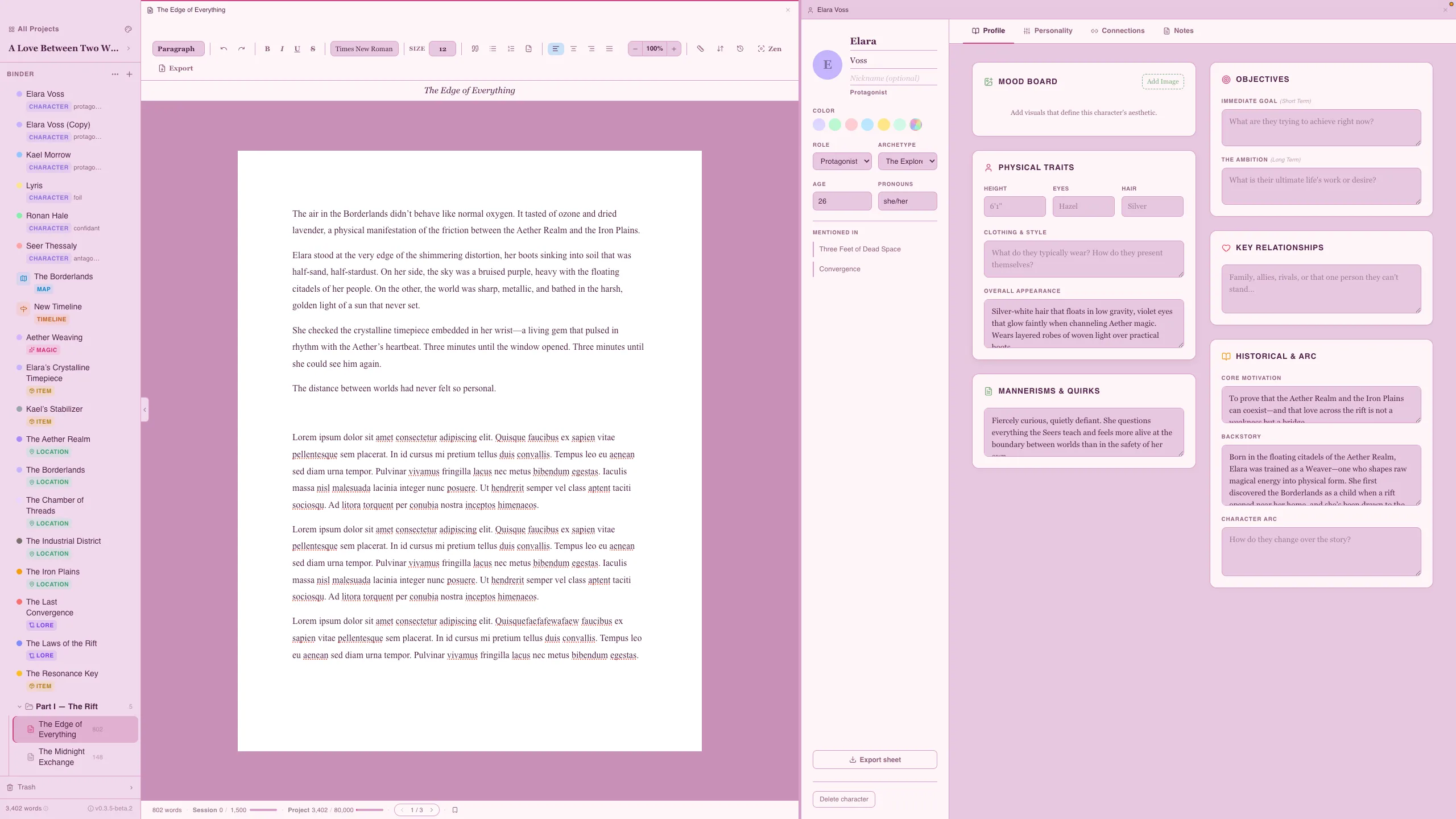
Split-pane editing lets you view two items side by side, so you never have to leave your writing to look something up.
How It Works
Section titled “How It Works”Open any second item — a character profile, codex entry, map, or another chapter — and it appears alongside your current view. Both panels are fully interactive.
Use Cases
Section titled “Use Cases”- Write + reference — keep a character profile open while writing a scene with that character
- Write + world-build — reference a codex entry for location details while describing a setting
- Write + map — view your world map while writing travel sequences
- Compare chapters — open two chapters side by side to check continuity
- Edit + outline — reference your chapter synopsis while revising
- Split pane works with any combination of content types — chapters, characters, codex entries, maps, and timelines
- Use it during editing passes to cross-reference your manuscript against your notes
- Great for maintaining consistency when multiple characters or locations appear in a scene