
Outliner View
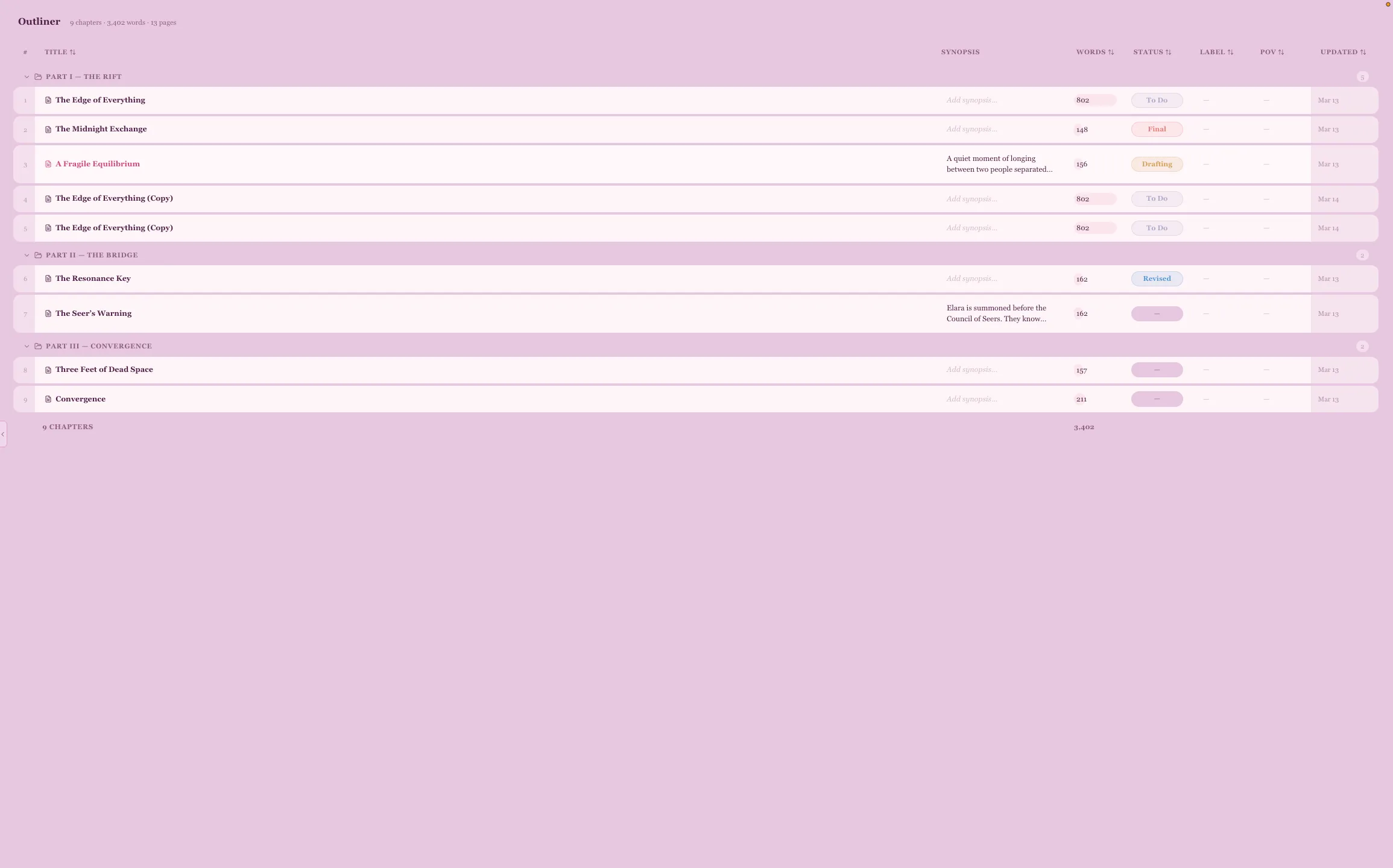
The Outliner gives you a bird’s-eye view of your entire manuscript in a spreadsheet-style layout.
What It Shows
Section titled “What It Shows”Each chapter appears as a row with columns for:
- Title — click to open the chapter in the editor
- Synopsis — your chapter summary, editable inline
- Words — word count with a visual progress bar
- Status — color-coded tracking: To Do, Drafting, First Draft, Revised, Edited, Final
- Label — custom labels, editable inline
- POV — point-of-view character, editable inline
- Updated — last edit timestamp
Inline Editing
Section titled “Inline Editing”Click on any Synopsis, Label, or POV cell to edit it directly in the table. Press Enter to save or Escape to cancel. No need to open each chapter individually — manage metadata across your entire manuscript from one view.
Sorting & Organization
Section titled “Sorting & Organization”- Click any column header to sort ascending or descending
- Chapters are grouped by folder with collapsible folder rows
- A sticky footer shows your total chapter count and word count
Status Tracking
Section titled “Status Tracking”Track where each chapter stands in your writing process:
- To Do — not yet started
- Drafting — actively writing
- First Draft — initial draft complete
- Revised — structural edits done
- Edited — line edits done
- Final — ready to go
Each status has its own color, so you can scan your manuscript’s progress at a glance.
When to Use It
Section titled “When to Use It”- Planning — lay out your chapter structure before writing
- Progress tracking — see which chapters need work
- Editing passes — update statuses as you revise
- POV management — ensure point-of-view consistency across chapters
- Word count balance — spot chapters that are too long or too short